If you need to use a form that has been archived, you can restore it to your active list.
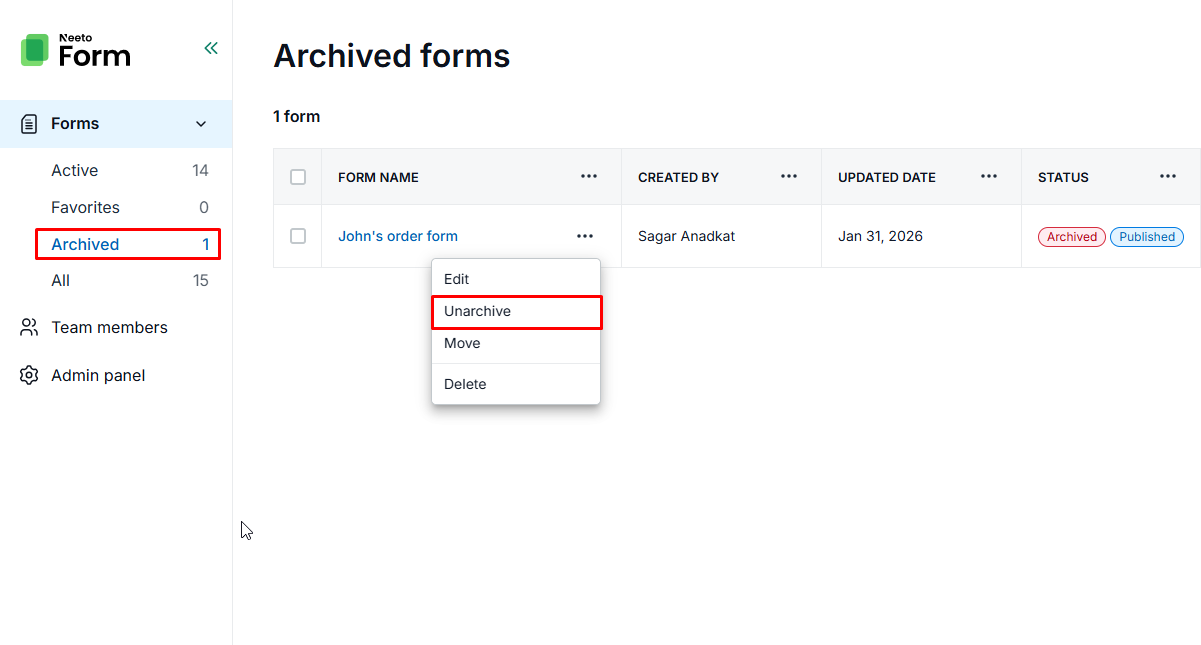
In the left sidebar, click on Forms to expand the menu.
Select the Archived section.
Click the three dots (⋮) next to the form name and select Unarchive.
Once restored, the form will automatically move from the "Archived" list back to your Active state.